Furbo 360 Dog Camera Review: Is It Worth Your Money?
You love your dog, but you worry about them when you are away from home. You wonder what they are doing. Are they bored? Are they getting into trouble? Are they safe? These questions run through your mind every time you step out the door.
The Furbo 360 Dog Camera promises to solve these worries. It lets you watch, talk to, and even treat your dog from anywhere. But does it really deliver on its promises? Let me walk you through everything you need to know about this popular pet camera before you make your purchase decision.
Key Takeaways
What makes the Furbo 360 stand out from other pet cameras on the market? Here are the most important points to remember:
Full room coverage: The 360-degree rotating view gives you complete visibility of your entire room without any blind spots. You can track your dog’s movements anywhere in the space.
High quality video: The camera delivers 1080p Full HD resolution with a 160-degree wide-angle lens and 4x digital zoom. You get crystal clear images of your pet day and night.
Interactive features: Built-in treat tossing functionality and two-way audio let you interact with your dog remotely. You can reward good behavior and calm separation anxiety.
Smart alerts: The camera sends barking notifications to your phone when it detects your dog making noise. You know immediately when something is wrong.
Color night vision: Unlike basic cameras with black and white night mode, the Furbo 360 provides color night vision so you can see your pet clearly even in dark rooms.
Subscription considerations: While basic features work without subscription, many advanced features require a paid Furbo Nanny subscription starting at $6.99 per month.
What Is the Furbo 360 Dog Camera

- FULL HD CAMERA WITH 360° ROTATING VIEW - The Furbo 360° Dog Camera gives you best-in-class HD video quality with a 360-degree rotating view for full room...
- REAL-TIME 2-WAY AUDIO & COLOR NIGHT VISION - Seamlessly hear and speak with family members and pets at home, and adjust volume in-app for crystal clear audio....
- FUN ADJUSTABLE TREAT TOSSING - Toss a treat to your dog via the free Furbo iOS/Android app synced up with your Furbo dog treat dispenser camera. All-new Treat...
The Furbo 360 Dog Camera represents the next generation of pet monitoring technology. This smart device combines a high-definition camera with interactive features designed specifically for dog owners. The camera rotates a full 360 degrees, giving you complete coverage of any room in your home. You control everything through a simple smartphone app that works on both iOS and Android devices.
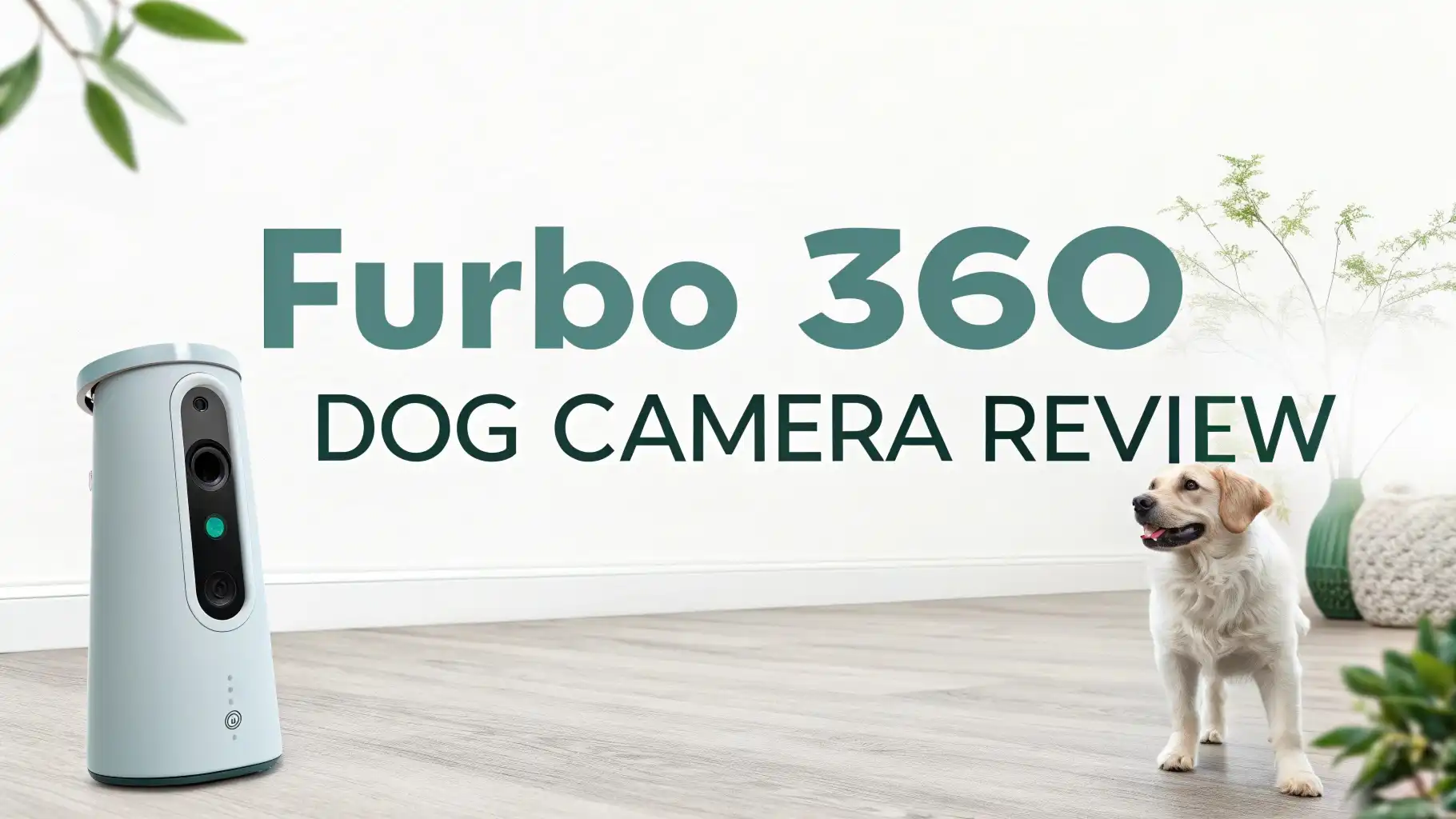
The device looks sleek and modern with its white cylindrical design. It stands about 6 inches tall and fits nicely on most shelves, counters, or tables. The camera lens sits at the top of the unit. The treat dispenser opens at the front. The rotating mechanism operates quietly so it does not startle your pets.
Furbo designed this camera to address the specific needs of dog owners. It goes beyond basic video monitoring. The interactive features help you stay connected with your dog throughout the day. You can see what they are doing. You can talk to them. You can toss them treats. This creates a more engaging experience than passive video watching.
How the 360 Degree Rotation Works
The rotating feature is what sets the Furbo 360 apart from the original Furbo camera. The camera head rotates smoothly and quietly through a full 360-degree range. You control the rotation through the smartphone app. You can manually rotate the camera to look in any direction. You can also enable automatic tracking mode.
When you activate automatic tracking, the camera uses motion detection to follow your dog around the room. The tracking feature works surprisingly well in most lighting conditions. The camera detects when your dog moves and automatically pans to keep them in frame. This means you do not need to constantly adjust the camera manually.
The rotation speed is adjustable. You can choose faster movements for quick scans of the room. You can select slower, smoother panning for a more gradual view. The quiet motor ensures the camera movement does not disturb your pet or create distracting noise on the audio feed.
The 360-degree view eliminates blind spots that plague fixed-position cameras. Your dog cannot hide from view. You get complete coverage of the room. This proves especially valuable for active dogs who move around frequently.
Video Quality and Camera Specifications
The Furbo 360 delivers 1080p Full HD video quality that produces sharp, clear images of your pets. The 160-degree wide-angle lens captures a broad field of view even when the camera is not rotating. Combined with the 360-degree rotation capability, you can see everything in the room with excellent detail.
The 4x digital zoom lets you get a closer look at your dog or specific areas of the room. The zoom maintains good image quality, though some pixelation occurs at maximum zoom levels. You can easily read name tags on collars or see small toys your dog is playing with.
Color night vision technology represents a significant upgrade over the original Furbo. Most pet cameras only offer black and white infrared night vision. The Furbo 360 provides full color images even in low light conditions. You can see your dog’s actual coat color and better distinguish between different objects in dim lighting.
The camera adjusts automatically to different lighting conditions. Bright sunlight does not wash out the image. Gradual changes from day to evening happen smoothly. The automatic adjustment means you do not need to manually configure settings as lighting changes throughout the day.
Frame rate stays smooth during live viewing. You experience minimal lag between real-time events and what appears on your phone screen. The video quality remains consistent whether you are on WiFi or using cellular data, though data usage increases on mobile networks.
Top 3 Alternatives for Furbo 360 Dog Camera
Looking for other options? Here are three excellent alternatives to consider:

- NO MORE BLIND SPOTS WITH A 360° camera view: Cam 360 delivers a sharp 1080p HD live streaming video with a pan-tilt rotation for full-room coverage, 8x digital...
- HUMAN-LIKE TWO-WAY AUDIO: Alleviate your pet’s separation anxiety by chatting with them and listening to them bark or meow back; Reinforce positive behavior...
- PRIVACY MODE FEATURE & ADVANCED ENCRYPTION: The new camera-off feature ensures added domestic privacy; The lens view can be physically blocked with an app and...

- Your all-in-one pet monitor: Check on your pet and home anytime anywhere with full HD 1080p live streaming video, 110° wide-angle view, clear 30-feet night...
- Treat Your Pet Remotely & Alexa Voice Control-Compatible: B2L has a dishwasher-safe treat dispenser with 1.5 lbs container; Toss dry, crunchy dog and cat treats...
- Real-time motion and sound detection alerts: With optional subscription service, Petcube Care, receive instant notifications for any activity at home with an...

- Pet Camera with Treat Tossing: Combination of the dog camera and treat dispenser (0.5L capacity, Recommend 7-15mm food size), you can fill in your fur kid’s...
- Unlock the Time Album with Cloud Subscription: AI automatically create a 60-second video of your pet’s best moments from motion-triggered recordings, and...
- 2K Ultra HD Camera & Night Vision:With 2K Full HD crystal clear pet camera indoor, you could see your furry puppy or cats clearly whenever you want. Our dog...
Treat Tossing Feature and How It Works
The treat tossing function adds an interactive element that dogs love. The built-in treat dispenser holds up to 100 small treats depending on their size and shape. You can toss treats to your dog remotely through the smartphone app with a single tap.
The tossing mechanism launches treats about 3 to 6 feet from the camera. The distance varies based on treat size and weight. Lighter treats travel farther. Heavier biscuits land closer to the unit. You learn the pattern quickly after a few tosses.
Furbo recommends using small, dry treats that measure less than half an inch. Round kibble-shaped treats work best. Soft or sticky treats can jam the dispenser. The company sells specially designed Furbo treats, but many standard dog treats work fine if they meet the size requirements.
The treat tossing creates positive associations between you leaving home and your dog having good experiences. You can reward your dog for calm behavior. You can distract them from barking. You can simply make them happy while you are away. Many dog owners report this feature helps reduce separation anxiety.
The app shows you how many treats remain in the dispenser. You receive notifications when the treat level gets low. Refilling takes just seconds. You simply open the magnetic top and pour in more treats.
Two-Way Audio Communication
The two-way audio system lets you hear what is happening in your home and lets your dog hear your voice. The built-in microphone picks up sounds clearly. You can hear your dog barking, playing, or moving around. The quality is good enough to distinguish between different types of sounds.
The speaker projects your voice clearly into the room. Your dog can hear you speaking through the app. Many dogs respond immediately when they hear their owner’s voice coming from the camera. You can use voice commands. You can offer comfort. You can call your dog over to the camera for a treat.
The audio connection happens with minimal delay. Your voice reaches your dog almost instantly after you speak into the phone. This real-time communication feels natural. You can have genuine interactions with your pet rather than experiencing frustrating lag times.
Some users report the speaker volume could be louder. The audio works fine in quiet environments. Background noise like air conditioners or traffic can sometimes make it harder for your dog to hear you clearly. You may need to speak more loudly or repeat commands in noisy settings.
The microphone sensitivity is adjustable in the app settings. You can increase sensitivity to pick up quieter sounds. You can decrease it to reduce background noise. Finding the right balance depends on your specific home environment.
Barking Alerts and Smart Notifications
The barking alert system uses audio detection technology to identify when your dog is barking. The camera analyzes sound patterns to distinguish barking from other noises. When it detects barking, it sends a push notification to your smartphone immediately.
The alert tells you when the barking started. You can tap the notification to instantly open the live video feed. This quick response time helps you address problems right away. You can check if your dog is stressed. You can look for the cause of the barking. You can use the two-way audio to calm your pet.
The basic barking alerts work without a subscription. This is one of the core features available to all Furbo 360 owners. The free alerts provide simple notifications that barking was detected.
The paid Furbo Nanny subscription adds more advanced alert features. Subscription alerts include person detection, pet activity alerts, and emergency alerts. The system can distinguish between your dog playing versus showing signs of distress. These smarter alerts provide more context about what is happening at home.
You can customize alert settings to match your preferences. You can set quiet hours when you do not want notifications. You can adjust sensitivity levels. You can choose which types of alerts you want to receive.
Setup Process and App Interface
Getting started with the Furbo 360 is straightforward. The setup process takes about 10 to 15 minutes for most users. You download the Furbo app. You create an account. You plug in the camera. The app guides you through connecting to your WiFi network.
The camera supports both 2.4GHz and 5GHz WiFi networks. The 2.4GHz connection works better through walls and at longer distances. The 5GHz option provides faster data transfer if you have strong signal strength. Most users will want to use the 2.4GHz band for reliability.
The smartphone app interface is clean and intuitive. The main screen shows your live camera feed. Large, clearly labeled buttons let you toss treats, activate the microphone, or take photos. You can access settings through a menu icon.
The app lets you save video clips and photos to your phone. You can share these clips with family and friends. Many users enjoy capturing funny moments to post on social media or keep as memories.
The app includes a calendar view of all alerts and recordings if you have a subscription. You can scroll back through time to see when specific events occurred. This timeline feature helps you understand your dog’s daily patterns.
Multiple family members can access the same camera through their own accounts. You can share access with pet sitters or dog walkers. You control permission levels for each user.
Subscription Plans and What They Include
The Furbo 360 works without a subscription for basic features. You get live video streaming, treat tossing, two-way audio, and basic barking alerts without paying anything beyond the camera purchase price. These core features provide solid value for monitoring your pet.
The Furbo Nanny subscription unlocks advanced features. The standard plan costs $6.99 per month when billed annually or $9.99 per month when billed monthly with a three-month minimum. The subscription includes:
Smart alerts: The system detects various events beyond simple barking. You receive alerts for person detection, pet activity detection, and emergency alerts for smoke alarms or carbon monoxide detectors.
Cloud recording: The service stores video clips in the cloud for 30 days. You can review what happened even if you were not watching the live feed at that moment.
Activity history: The app creates a timeline of all detected events. You can easily find specific incidents or track patterns over time.
Dog selfies: The camera automatically captures cute photos of your dog throughout the day and saves them to your account.
Video snippets: The system creates short video summaries of interesting moments featuring your pet.
The subscription cost seems reasonable compared to other pet camera services. Some competitors charge more for similar features. However, the requirement to maintain a subscription for advanced features frustrates some users who already paid a premium price for the camera hardware.
You can try the subscription features through a free trial period. This lets you test the advanced features before committing to a paid plan. You can cancel anytime if you decide the extra features are not worth the monthly cost.
Performance in Different Lighting Conditions
The Furbo 360 handles various lighting situations well. In bright daylight, the camera produces sharp images with accurate colors. Details remain clear across the entire field of view. The camera does not struggle with backlighting from windows like some cheaper cameras do.
Indoor lighting from lamps and overhead lights works fine. The camera adjusts its settings automatically to maintain good image quality. You do not see the flickering that appears on some cameras under certain types of LED bulbs.
The color night vision feature proves genuinely useful. When rooms get dark, the camera switches to night mode automatically. Unlike traditional infrared night vision that shows only black and white images, the Furbo 360 maintains color information. You can distinguish between your brown dog and their black toys. You can see if your dog’s eyes are open or closed.
The night vision has some limitations. Very dark rooms still appear dim. The colors are not as vibrant as daytime viewing. You need at least some ambient light for the color night vision to work well. In completely black rooms, the image quality drops significantly.
Transitional lighting conditions like sunset can sometimes confuse the camera. It may switch between day and night modes repeatedly until the lighting stabilizes. This causes brief moments of adjusted exposure that can look slightly jarring.
WiFi Connection Strength and Requirements
The Furbo 360 requires a stable internet connection to function properly. The camera needs WiFi to communicate with your smartphone. Poor WiFi signal causes video stuttering, delayed audio, and failed treat tosses.
The camera works on both 2.4GHz and 5GHz networks. Most users should choose the 2.4GHz band for better range and wall penetration. The 5GHz band offers faster speeds but shorter range. This faster connection benefits users with poor WiFi coverage more than it improves video quality for most situations.
Your internet upload speed matters for smooth video streaming. Furbo recommends at least 2 Mbps upload speed for basic functionality. Higher upload speeds provide better video quality and more reliable connections. You should test your upload speed before purchasing if you have concerns about your internet performance.
The camera remembers your WiFi network. You do not need to reconfigure it unless you change networks. Power outages cause no issues. The camera automatically reconnects to WiFi when power returns.
Some users report connection problems with certain routers. The issues typically involve routers with overly strict security settings or older WiFi standards. Updating your router firmware often solves these problems. Furbo customer support can help troubleshoot persistent connection issues.
The camera does not work without internet connection. You cannot use it as a local network camera. You need active internet to view the feed on your phone even if you are in the same house.
Treat Capacity and Refilling
The treat compartment holds approximately 100 small treats. The actual number varies based on the specific size and shape of the treats you use. Round kibble packs more efficiently than irregularly shaped biscuits.
Opening and refilling the compartment is simple. The top lid attaches magnetically. You lift it off, pour in more treats, and snap it back on. The whole process takes less than 30 seconds. The wide opening makes it easy to pour treats without spilling.
The treats sit in a clear container so you can see the fill level at a glance. The app also tracks treat levels and sends notifications when you are running low. This prevents situations where you try to toss a treat remotely only to discover the dispenser is empty.
Furbo sells branded treats designed specifically for their cameras. These treats are sized and shaped for optimal tossing performance. You do not need to buy Furbo treats. Many standard dog treats work fine if they meet the size requirements of less than half an inch.
Hard, dry treats work best. Soft treats can stick together or to the dispenser mechanism. Greasy treats can leave residue that affects the tossing function. Cheese treats and training treats often cause problems. Stick with dry kibble or biscuits.
You should clean the treat dispenser periodically. Treat dust and small crumbs accumulate over time. This buildup can affect the tossing mechanism. Cleaning every few weeks keeps everything working smoothly.
Installation and Placement Tips
Choose your camera location carefully. The placement significantly affects how well the camera works. You want a spot that provides a good view of the area where your dog spends most of their time. Height matters. Placing the camera at about eye level or slightly higher gives the best angle.
The camera needs to sit on a stable surface. Tables, counters, and sturdy shelves work well. Avoid placing the camera on wobbly furniture or in high-traffic areas where it might get bumped. The rotation mechanism is smooth but not designed to withstand impacts.
Keep the camera away from windows when possible. Backlighting from windows can wash out the image. Direct sunlight hitting the lens creates glare. If you must place the camera near a window, position it so the window is behind the camera rather than in its field of view.
The power cord is about 6 feet long. You need a nearby electrical outlet. The camera does not run on batteries. Plan your placement to ensure the cord reaches an outlet without creating a tripping hazard or being accessible to chewing dogs.
Consider treat trajectory when positioning the camera. Treats fly out horizontally from the front of the unit. Clear space in front helps treats land where your dog can find them. Furniture or walls directly in front can cause treats to bounce in unpredictable directions.
The camera should have clear line of sight to your dog’s main areas. Furniture and walls block the view. The 360-degree rotation does not help if large obstacles surround the camera. Choose an elevated location with good sight lines.
Comparison with the Original Furbo Camera
The Furbo 360 offers several upgrades over the original Furbo Dog Camera. The most obvious improvement is the 360-degree rotation. The original Furbo had a fixed position with a wide-angle lens. You could see a broad area but not change the viewing angle. The rotating mechanism on the 360 gives much more flexibility.
Color night vision represents another significant upgrade. The original Furbo used standard infrared night vision that produced black and white images in darkness. The color night vision on the 360 provides much more useful images in low light.
The treat tossing mechanism received improvements. The 360 model tosses treats more reliably and with more consistent distance than the original. Treat jams happen less frequently.
The camera resolution remains the same at 1080p for both models. The lens specifications are identical with a 160-degree field of view and 4x digital zoom. Video quality is essentially equal when comparing the two cameras from fixed positions.
The subscription model changed with the 360 release. The original Furbo offered more features without subscription. The 360 requires a paid subscription for many advanced features that were previously included. This change upset some loyal Furbo customers.
The price of the 360 is higher than the original Furbo was at launch. You pay more for the rotating feature and color night vision. Whether the extra cost is justified depends on how valuable those features are to your specific situation.
Battery Backup and Power Requirements
The Furbo 360 does not include battery backup. The camera requires constant connection to electrical power through the included AC adapter. If the power goes out, the camera stops working immediately. You lose all functionality until power returns.
This lack of battery backup concerns some users. Power outages mean you cannot monitor your pet during storms or other situations when you might be most worried about them. Competitors like some Petcube models offer battery backup options.
The power consumption is relatively low. Running the camera 24/7 costs only a few dollars per month in electricity. The rotation motor uses minimal power. Video streaming consumes the most energy, but the amounts remain small.
The camera reconnects automatically when power is restored after an outage. You do not need to manually restart it or reconfigure any settings. The connection typically reestablishes within a minute or two of power returning.
You could connect the camera to an uninterruptible power supply (UPS) if battery backup is important to you. A small UPS designed for computers would keep the camera running for several hours during power outages. This adds cost but solves the power backup limitation.
Privacy and Security Features
Data security should concern any smart home device owner. The Furbo 360 uses encryption to protect video feeds and communications between the camera and your smartphone. The data transmission uses standard security protocols.
Your video feeds stream directly between the camera and your phone. Furbo does not store your live video unless you have a subscription with cloud recording enabled. Without subscription, no video is saved anywhere except clips you manually save to your phone.
The subscription service stores videos on cloud servers. These recordings remain private to your account. Furbo states they do not share your videos with third parties. The recordings are encrypted during storage and transmission.
You can enable or disable various features through privacy settings. You can turn off the microphone if you do not want audio recording. You can disable automatic dog selfie capture. You control what data the camera collects.
Account security depends on your password strength. Use a strong, unique password for your Furbo account. Enable two-factor authentication if available. Do not share your login credentials with others unless you want them to have access.
The camera includes a physical lens cover in some models. You can physically block the camera when you do not want it recording. This provides absolute assurance that the camera is not viewing anything.
Customer Support and Warranty
Furbo provides customer support through email and chat. Response times vary from a few hours to a couple days depending on the volume of support requests. The support team generally receives positive reviews from customers who need assistance.
The standard warranty covers one year from the date of purchase. The warranty protects against defects in materials and workmanship. It does not cover damage from accidents, misuse, or normal wear and tear.
Some retailers offer extended warranty options when you purchase the camera. These extended warranties cost extra but extend coverage for an additional year or two beyond the standard warranty.
Common issues that require support include WiFi connection problems, treat dispenser jams, and app connectivity issues. Many problems can be solved through troubleshooting steps outlined in the support documentation. The Furbo website includes detailed guides and FAQs.
Replacement parts are not readily available. You generally cannot buy a replacement treat dispenser or lens assembly separately. If a component fails after the warranty period, you may need to purchase a new camera entirely.
The company has been responsive to user feedback. Software updates add new features and fix bugs based on customer input. The app receives regular updates to improve performance and address issues.
Real User Experiences and Common Complaints
Real customers report mixed experiences with the Furbo 360. Many users love the camera and find it indispensable for monitoring their pets. Others encounter frustrating technical issues or feel the subscription requirements undermine the value.
Positive reviews frequently mention the peace of mind the camera provides. Users appreciate being able to check on their dogs throughout the day. The treat tossing feature consistently receives praise. Many owners report their dogs love the camera and wait near it for treats.
The 360-degree rotation impresses most users. People appreciate the complete room coverage. The automatic pet tracking works well enough that many users enable it as their default mode. The ability to manually pan around the room provides excellent flexibility.
Common complaints center on several issues. WiFi connectivity problems frustrate users who experience frequent disconnections. Some customers report the camera randomly goes offline and requires power cycling to reconnect. These issues seem related to specific router configurations more than universal camera problems.
The subscription model angers some long-time Furbo fans. Customers who owned the original Furbo feel the company moved too many features behind the paywall. They argue the premium camera price should include features that now require monthly fees.
Treat jams occur occasionally. Some users report the dispenser gets stuck with certain treat types. Following the recommendations for dry, small treats reduces this problem significantly. Cleaning the dispenser regularly also helps prevent jams.
Sound quality receives criticism from some users. The speaker volume seems insufficient in noisy environments. The microphone sometimes picks up excessive background noise. These audio issues do not affect everyone but appear frequently enough in reviews to mention.
Is the Furbo 360 Worth the Investment
The value question depends entirely on your specific situation and needs. The Furbo 360 Dog Camera costs significantly more than basic pet cameras. You pay a premium for the specialized dog-focused features and brand reputation.
You should consider this camera if you have a dog with separation anxiety, you work long hours away from home, you travel frequently, or you simply want to stay connected with your pet throughout the day. The interactive features justify the cost for owners who will actively use the treat tossing and two-way audio.
The 360-degree rotation adds genuine value over fixed cameras. The complete room coverage and automatic pet tracking work well for active dogs who move around frequently. This feature alone may justify the higher price compared to competitors.
Consider alternative options if you primarily need basic video monitoring without interactive features. Many excellent pet cameras cost less than the Furbo 360 and provide perfectly adequate video quality for simple monitoring needs. You can find cameras with treat dispensers at lower prices if you do not need the 360 rotation.
The subscription requirement factors heavily into the value equation. The basic features work without subscription, but many users will want the advanced alerts and cloud recording. Factor the ongoing monthly cost into your decision. Over two or three years, the subscription fees add up to more than the camera purchase price.
Build quality and reliability generally meet expectations for a premium product. Most users report the camera continues working well after months or years of use. Some experience technical problems, but these issues affect a minority of customers.
The Furbo 360 offers the most features specifically designed for dogs. If you want a specialized dog camera rather than a general pet or security camera, the Furbo 360 is one of the best options available. The company understands dog owners and their needs.
Frequently Asked Questions
Does the Furbo 360 work without subscription?
Yes, the Furbo 360 works without subscription for core features. You get live video streaming, treat tossing, two-way audio, and basic barking alerts without paying monthly fees. The paid subscription adds advanced smart alerts, cloud recording, activity history, and automatic dog selfies. Many users find the free features sufficient for their needs.
Can multiple people use the same Furbo camera?
Yes, you can share access to your Furbo 360 with multiple family members or pet sitters. Each person downloads the app and you send them an invitation to share your camera. Multiple people can view the live feed simultaneously. Only one person can control the camera (rotate it or toss treats) at a time. This sharing feature works well for households with multiple dog caretakers.
What size treats work best in the Furbo 360?
The Furbo 360 works best with small, dry, round treats measuring less than half an inch. Standard dry dog kibble works excellently. Small training treats or biscuits also work if they meet the size requirements. Avoid soft, sticky, or greasy treats as these can jam the dispenser mechanism. Furbo sells specially designed treats, but many regular dog treats work fine.
How far does the Furbo toss treats?
The Furbo 360 typically tosses treats about 3 to 6 feet from the camera. The exact distance depends on the size and weight of the treats you use. Lighter treats fly farther. Heavier biscuits land closer to the camera. The tossing angle shoots treats horizontally from the front of the unit. Clear space in front of the camera helps treats land where your dog can find them.
Does the Furbo 360 record continuously?
No, the Furbo 360 does not record video continuously without a subscription. The basic camera provides live streaming only. With a paid Furbo Nanny subscription, the camera records short video clips when it detects events like barking, person detection, or pet activity. These clips are saved to cloud storage for 30 days. Continuous 24/7 recording is not available even with subscription.
Can cats use the Furbo camera?
Yes, cats can use the Furbo 360 although it is designed primarily for dogs. Furbo now offers a specific Cat Camera version with features more suitable for cats. The dog camera works fine for cats who are interested in treats. Some cats ignore the treat tossing feature. The video monitoring and two-way audio work equally well for cats and dogs.
How long is the Furbo power cord?
The Furbo 360 power cord is approximately 6 feet long. The camera must remain plugged into an electrical outlet to function. It does not have battery backup. Choose a camera location within cord length of an available outlet. Using an extension cord is possible but not officially recommended by the manufacturer.
Does the Furbo work with Alexa or Google Home?
The Furbo 360 has limited smart home integration. It does not offer full functionality through Alexa or Google Home voice commands. Some basic features may work through voice assistants, but you cannot fully control the camera this way. You need to use the dedicated Furbo smartphone app for complete functionality including treat tossing and camera rotation.
The Furbo 360 Dog Camera delivers on most of its promises. The 360-degree rotation provides excellent room coverage. The treat tossing adds genuine value for interactive play and training. The video quality meets expectations for a premium pet camera. Your satisfaction will likely depend on whether you need the specialized dog features and whether the subscription costs fit your budget. For dedicated dog owners who want the best monitoring experience, the Furbo 360 remains one of the top choices available in 2026.
Last update on 2026-02-18 / Affiliate links / Images from Amazon Product Advertising API